Learn everything about Windows 7 from Installation, Setup,
Configuration, Troubleshooting, Support to Fixing Problems, Help and How-to.
Here on this website you going to learn everything you’ll ever need to know about Microsoft's new Windows Operating System, and truly master the Windows 7.
Windows 7 is the latest release of the Windows operating system for personal computers (PCs), Windows 7 is not what it seems. You are right it does look a lot like its predecessors such as Windows Vista, although with a cleaner, more inviting interface.
Microsoft has published minimum hardware requirements for the retail editions of Windows 7 Home Premium, Windows 7 Professional, and Windows 7 Ultimate. The specifics are listed in Table bellow.
| Hardware Component | Minimum Windows 7 System Requirement |
| Processor (CPU) | 1-GHz or faster, 32-bit (x86) or 64-bit (x64) processor |
| Memory | 1 GB RAM (32-bit) 2 GB RAM (64-bit) |
| Graphics processor | Support for DirectX 9 graphics with WDDM 1.0 or higher driver |
| Hard Drive | 16 GB available disk space (32-bit) 20 GB available disk space (64-bit) |
Note that Memory (RAM) and Hard Drive space requirements are slightly higher for 64-bit versions of Windows 7.
Choose the Windows 7 edition
that is best for you
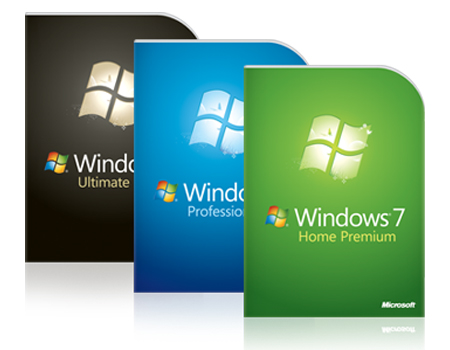
Microsoft Windows 7 is available in six main editions:
Windows 7 Starter, Windows 7 Home Basic, Windows 7 Home Premium, Windows 7 Professional, Windows 7 Enterprise and Windows 7 Ultimate, with a mix of features and capabilities intended for different hardware platforms such as 32 bit and 64 bit, personal preferences, and business needs. Read more about Windows 7 Versions here
Explore the Windows 7 features
Windows 7 is undoubtedly one of the best operating systems ever released by Microsoft. The plethora of Windows 7 features make this operating system a pleasure to work with. Here are the Windows 7 features that make the Windows 7 operating system more awesome than any other Microsoft operating system released till date. Windows 7 Features
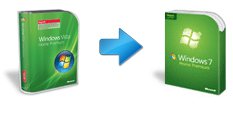
Did you buy a Laptop/Desktop PC running Windows Vista or buy a copy of Windows Vista after June 26, 2009? If your purchase qualified for Microsoft's special free Windows 7 offer, here's how to get your copy of Windows 7 Operating System. Click here to learn how to get free Windows 7 Upgrade
How to Upgrade Vista to Windows 7
How to Upgrade Windows XP to Windows 7
How to Install Windows 7 Step-by-Step
How to Install Windows 7 from USB Flash Drive
How to Auto Logon in Windows 7
How to do Partitioning in Windows 7
How to Create a Restore Point in Windows 7
How to view File Details in Windows 7
| Free Windows 7 upgrade - Learn how to get Windows 7 free upgrade How to get free Windows 7 upgrade - Did you buy a Laptop/Desktop PC running Windows Vista or buy a copy of Windows Vista after June 26, 2009? If your purchase qualified for special free Windows 7 offer, here's how to get your copy of Windows 7. |
| Windows 7 Versions - Find out All There Is to Know about the Versions of Windows 7 Read on to know more about all the Windows 7 versions. Microsoft's new operating system has been released in 6 different editions. |
| Windows 7 Upgrade Advisor - Are you ready for Windows 7? Download Windows 7 Advisor to check. Learn how to Setup, Configure, Troubleshoot and Download Windows 7 Upgrade Advisor before you purchase the Microsoft Windows 7 Operating System to find out whether your PC is ready for Windows 7. |
| Windows 7 Activation - Learn how to Activate Windows 7 Windows 7 Activation is the only way of making your copy of Windows 7 legitimate. Always activate the operating system to ensure that all features of it remain functional. |
| Windows 7 vs Vista – Where the Two Stand and Why! The comparative analysis of Windows 7 vs Vista has been a major discussion point, with the focal points being performance, speed and the extra-bit for gamers. |
| Windows 7 64 Bit Version - Use your PC to the Max The Windows 7 64 Bit version is compatible with all latest 64-bit processors and provides superior performance against all odds, day after day. |
| Fix/Submit Windows 7 Problems Here - About-Win7.com Do you have any Windows 7 Problems which can't able to fix by yourself? Don't worry here at About-Win7.com you can ask any Windows 7 related question. |
| Windows 7 Compatibility - How to Facilitate an Easy Upgrade Windows 7 compatibility has become a major issue to deal with for the uninitiated, especially on the software front. Here are some tips to keep you updated. |
| Windows 7 Requirements - Recommanded System Requirements for Windows 7 Recommanded Windows 7 Requirements - Windows7, though a totally streamlined operating system, does require quite a power packed PC to run. Here are the basic requirements of Windows 7. |
| Windows 7 Upgrade - How will you go for it? You should definitely go for Windows 7 upgrade if your PC is powerful enough for it. It will revolutionize your computing experience. |
| Windows 7 Antivirus - List of Anti-Virus Software Compatible with Windows 7 Windows 7 is a highly secure operating system, about that there can be no second thoughts. However, you need to install some kind of Windows 7 antivirus to make the security completely foolproof. |
| Windows 7 RTM - The Final Version of Windows 7 Windows 7 RTM is the gold version of the operating system, which was ready for production. It came out in August 2009, and was sent to system manufacturers soon afterwards as OEM versions. |
| Windows 7 OEM - Getting Windows Dirt Cheap Windows 7 OEM comes preinstalled in PCs that you purchase from major manufacturers. The version is inexpensive, and yet provides all features available in Windows 7 in unrestricted condition. |
| Windows 7 XP Mode - Also Known as Windows XP Mode Windows 7 XP Mode allows you to run software packages developed for Windows XP right on your Windows 7 desktop. Windows XP Mode can help you stick to older business software compatible with Windows XP, even after switching to Windows 7. |
| Windows 7 Firewall - Turn it on, keep it on Windows 7 Firewall has been greatly improved over its previous avatars. Windows Firewall is your first line of defense against the greatest security threats the internet can throw at you. |
| Windows 7 HomeGroup - New Windows 7 Features Windows 7 HomeGroup - Learn how to join, add computers, share libraries, files, folders and printers with a homegroup. |
| What is Windows 7? - Finding an Answer What is Windows 7? Do you want to know what is windows 7 starter, professional, jump lists and whats new in windows 7? |
| Windows 7 Questions and Answers - About-Win7.com Welcome to Windows 7 Questions section of about-win7.com - Do you have any questions about Windows 7? Submit your win 7 questions and get windows 7 answers here. |
| How to Install Windows 7 Step by Step. About-Win7.com How to install Windows 7 on a computer without an operating system. Learn how do a clean installation of Windows 7 or Win7. |
| Windows 7 Partitioning using Diskpart - Windows 7 Partition Step by Step - About-Win7.com How to shrink an existing partition or volume using Windows 7 Partitioning utility Diskpart and Windows Disk Management GUI tool to create unallocated disk space, from which you can create a new partition or volume with. |
| Create a Restore Point in Windows 7 Manually - About-Win7.com Learn how to Create a Restore Point in Windows 7 Manually Step by Step. |
| Upgrade Vista to Windows 7 - Upgrading from Vista to Windows 7 Guide Upgrade Vista to Windows 7 - If you already have Windows Vista installed and want to get Windows 7 on your computer, you might be confused whether should i upgrade from vista to windows 7 or go for windows 7 clean install. |
| Upgrade Windows XP to Windows 7 - Upgrading from Windows XP to Windows 7 Overview Upgrade Windows XP to Windows 7 Overview - In this article I am going to show you what you need and how to perform a clean installation of Windows 7 on an XP computer. |
| Windows 7 Pin - New Windows 7 Taskbar Feature You can use Windows 7 Pin to keep the things you need close at hand. In all editions of Windows 7 you can pin your favorite programs anywhere on the Windows 7 taskbar for easy access. |
| Using Jump Lists to access frequently used open programs and items. Access recently opened items in Windows 7 with Jump Lists, such as files, folders, pictures, musics, or websites, organized by the program/application that you use to open them. |
| Add "My Computer" to the Taskbar in Windows 7 Find out how to Add My Computer to the Taskbar in Windows 7 Step by Step. |
| Creating a Windows 7 System Repair Disc and Using it if a serious error occurs. In this article we're going to show you how to create a Windows 7 System Repair Disc. The system repair disc can help you repair Windows 7 if a serious error occurs. |
| Activate Windows 7 on your Computer How to Activate Windows 7 Step by Step. You must activate Windows 7 within 30 days of installation. |
| Repair Windows 7 using Windows 7 System Repair Disc. In this article we're going to show you how to Repair Windows 7 using Windows 7 System Repair Disc. The system repair disc can help you repair Windows 7 if a serious error occurs. |
| Windows 7 Upgrade Advisor Tool Download, Install and Run. Windows 7 Upgrade Advisor Tool Download, Install and Run Step by Step. |